How to Choose a Chart

A Statistically Motivated Guide

Author

Andy Grogan-Kaylor

Published

March 30, 2026

Show the code
library(ggplot2) # beautiful graphs

library(ggthemes) # nice themes for ggplot2

library(ggbeeswarm) # helpful 'beeswarm' geometry

library(ggdist) # 'distribution' geometries

library(cowplot) # arrange graphs

Attaching package: 'cowplot'
The following object is masked from 'package:ggthemes':

    theme_map
Show the code
library(pander) # nice tables

1 How to Choose a Chart

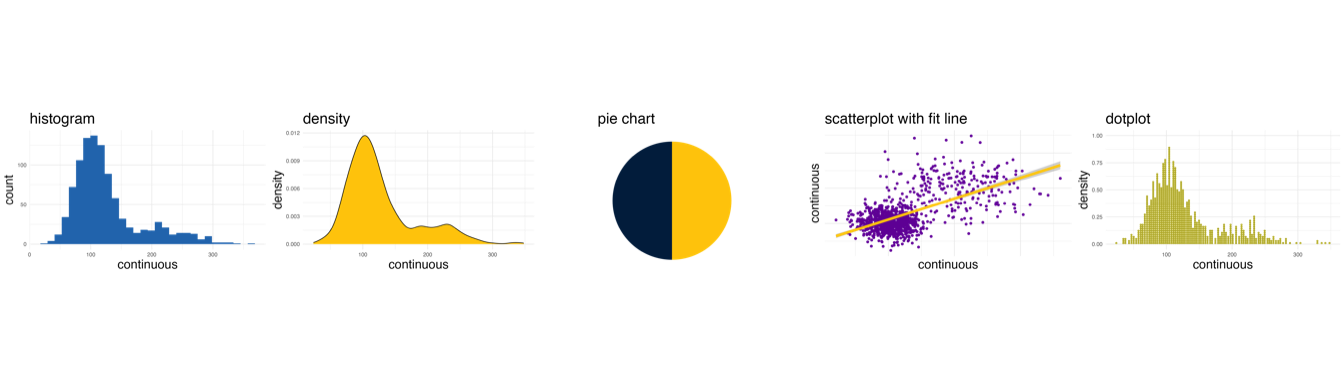
Choosing the right chart to represent your data can be a daunting process. I believe that a starting point for this thinking is some basic statistical thinking about the type of variables that you have. At the broadest level, variables may be conceptualized as categorical variables, or continuous variables.

  • categorical variables represent unordered categories like gender, or religious affiliation.
  • continuous variables represent a continuous scale like a mental health scale, or a measure of neighborhood quality.

Once we have discerned the type of variable that have, there are two followup questions we may ask before deciding upon a chart strategy:

  • Is our graph about one thing at a time?
    • How much of x is there?
    • What is the distribution of x?
  • Is our graph about two things at a time?
    • What is the relationship of x and y?
    • How are x and y associated?

2 A Few Notes

2.1 A Note About Graph Labels

Graphs should have clear titles and labels.

2.2 A Note About Software

The principles of graphing discussed in this document transcend any particular software package, and could be implemented in many different software packages, such as SPSS, SAS, Stata, or R.

The graphs in these particular examples use ggplot2, a graphing library in R. ggplot2 graph syntax can be formidably complex, with a steep learning curve. More information about ggplot can be found here.

2.3 A Note About The Code In This Document

Note that ggplot2 can be MUCH simpler than these examples make it look.

For example,

ggplot(mydata, aes(x = x)) + geom_histogram()

will produce a perfectly serviceable histogram.

Much of the complication of the code in this document is simply the result of formatting tweaks to get the graphs EXACTLY the way I wanted them.

Observe also, that for layout purposes, I am reading each ggplot call into an object, e.g.

p1 <- ggplot(mydata, aes(x = x)) + geom_histogram()

so that I can later use plot_grid to lay out the graphs.

In your own work, you do not need to do this, and it may be simpler to simply say:

ggplot(...) + ...

2.4 A Note About Graph Colors

This document uses colors based upon official University of Michigan colors. Using colors that match the design scheme of your organization may be helpful.

Show the code
# michigan colors

michigan_colors=c("#00274c", # blue
                  "#ffcb05", # maize
                  "#a4270b", # tappan red
                  "#e96300", # ross school orange
                  "#beb300", # wave field green
                  "#21c1bc", # taubman teal
                  "#2878ba", # arboretum blue
                  "#7207a5") # ann arbor amethyst

# name individual colors

michigan_blue <- "#00274c"

michigan_maize <- "#ffcb05"

tappan_red <- "#a4270b"

ross_school_orange <- "#e96300"

wave_field_green <- "#beb300"

taubman_teal <- "#21c1bc"

arboretum_blue <- "#2878ba"

ann_arbor_amethyst <- "#7207a5"

3 A Simulated Data File of Continuous and Categorical Data

A few randomly selected observations…

  x y z u v w s q
817 84.47 125.4 118.1 Group B Group B Group A Group 2 104.5
213 128.8 79.29 122.1 Group B Group B Group A Group 1 138.8
566 89.42 115.4 57.63 Group A Group A Group A Group 2 109.4
93 88.85 101.3 117.3 Group A Group A Group A Group 3 118.9
662 104.5 87.58 103 Group A Group A Group A Group 3 134.5
936 95.42 88.3 127.1 Group B Group B Group A Group 3 125.4
807 205.9 118.8 127.9 Group B Group B Group B Group 2 225.9
395 102.7 102.3 94.41 Group A Group B Group A Group 2 122.7
132 128 113.2 99.98 Group B Group B Group A Group 2 148
222 110.1 115.7 77.83 Group B Group B Group A Group 3 140.1

4 One Thing At A Time     Two Things At A Time

5 Continuous           Continuous By Categorical

Show the code
my_histogram <- ggplot(mydata, aes(x = x)) + 
  geom_histogram(fill = arboretum_blue) + 
  ggtitle("histogram") +
  xlab("continuous") + ylab("count") + 
  theme_minimal()

my_facet_histogram <- ggplot(mydata, aes(x = x)) + 
  geom_histogram(fill = arboretum_blue) + 
  facet_wrap(~w, nrow = 2) + 
  ggtitle("histogram by group") + 
  xlab("continuous") + ylab("count") + 
  theme_minimal() +
  theme(axis.text = element_text(size = 5)) # small font size for axis

plot_grid(my_histogram, my_facet_histogram, ncol=2)

Show the code
my_density <- ggplot(mydata, aes(x = y)) + 
  geom_density(fill = michigan_maize) + 
  ggtitle("density") +
  xlab("continuous") + ylab("density") + 
  theme_minimal()

my_facet_density <- ggplot(mydata, aes(x = y)) + 
  geom_density(fill = michigan_maize) + 
  facet_wrap(~w, nrow = 2) +
  ggtitle("density by group") +
  xlab("continuous") + ylab("density") + 
  theme_minimal() +
  theme(axis.text = element_text(size = 5)) # small font size for axis

plot_grid(my_density, my_facet_density, ncol = 2)

Show the code
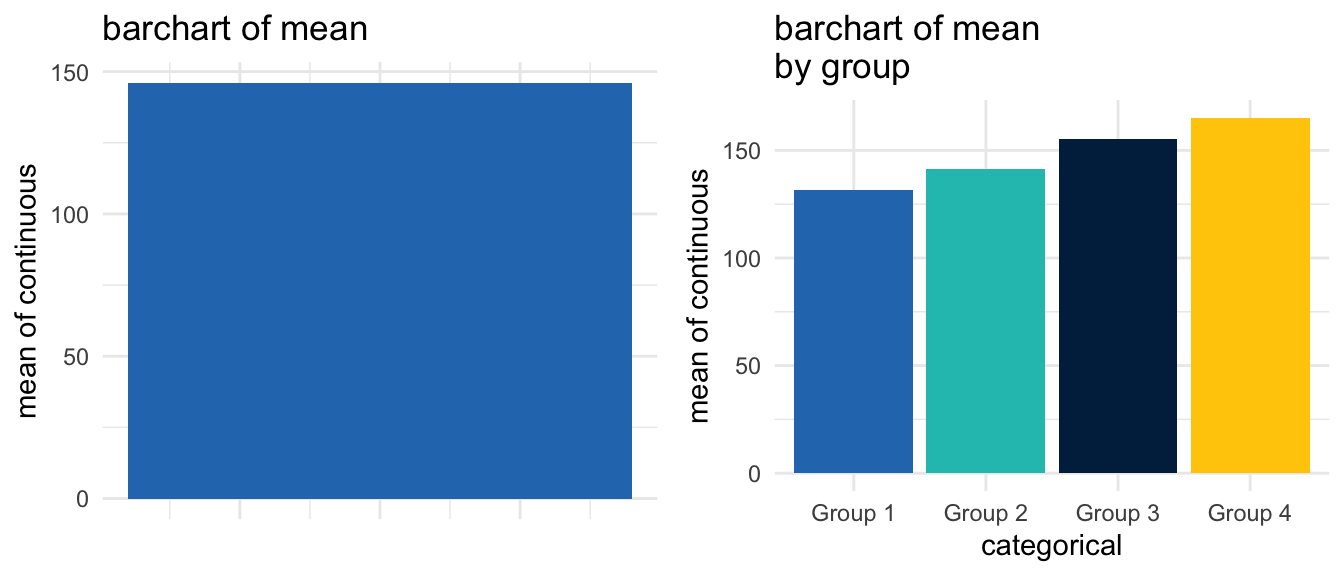
my_m_barchart <- ggplot(mydata, 
                        aes(x = 1, 
                            y = q, 
                            fill = factor(1))) + 
  stat_summary(fun = mean, geom = "bar") +
  scale_fill_manual(values = c(arboretum_blue)) + 
  ggtitle("barchart of mean") + 
  guides(fill=FALSE) +
  xlab(" ") + 
  ylab("mean of continuous") + 
  theme_minimal() +
  theme(axis.text.x = element_blank()) +
  theme(axis.ticks.x = element_blank())
Warning: The `<scale>` argument of `guides()` cannot be `FALSE`. Use "none" instead as
of ggplot2 3.3.4.
Show the code
my_facet_m_barchart <- ggplot(mydata, 
                              aes(x = factor(s), 
                                  y = q, 
                                  fill = s)) + 
  stat_summary(fun = mean, geom = "bar") + 
  scale_fill_manual(values = c(arboretum_blue, 
                               taubman_teal, 
                               michigan_blue,
                               michigan_maize)) + 
  ggtitle("barchart of mean \nby group") + 
  guides(fill=FALSE) +
  xlab("categorical") + ylab("mean of continuous") + 
  theme_minimal()

plot_grid(my_m_barchart, 
          my_facet_m_barchart, 
          ncol = 2)

Show the code
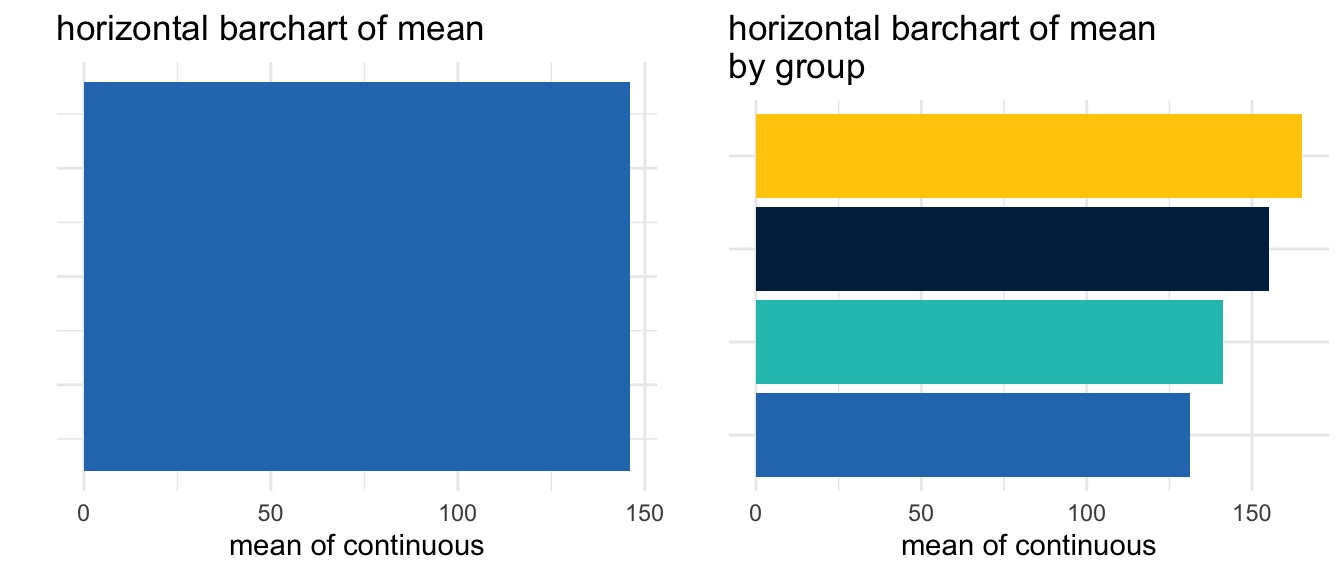
my_horiz_m_barchart <- ggplot(mydata, 
                              aes(x = 1, 
                                  y = q, 
                                  fill = factor(1))) + 
  stat_summary(fun = mean, 
               geom = "bar") +
  coord_flip() +
  scale_fill_manual(values = c(arboretum_blue)) + 
  ggtitle("horizontal barchart of mean") + 
  guides(fill=FALSE) +
  xlab(" ") + 
  ylab("mean of continuous") + 
  theme_minimal() +
  theme(axis.text.y = element_blank()) +
  theme(axis.ticks.y = element_blank())

my_facet_horiz_m_barchart <- ggplot(mydata, 
                                    aes(x = factor(s), 
                                        y = q, 
                                        fill = s)) + 
  stat_summary(fun = mean, 
               geom = "bar") +
  coord_flip() +
  scale_fill_manual(values = c(arboretum_blue, 
                               taubman_teal, 
                               michigan_blue,
                               michigan_maize)) +   
  ggtitle("horizontal barchart of mean \nby group") + 
  guides(fill=FALSE) +
  xlab(" ") + ylab("mean of continuous") + 
  theme_minimal() +
  theme(axis.text.y = element_blank()) +
  theme(axis.ticks.y = element_blank())

plot_grid(my_horiz_m_barchart,
          my_facet_horiz_m_barchart)

Show the code
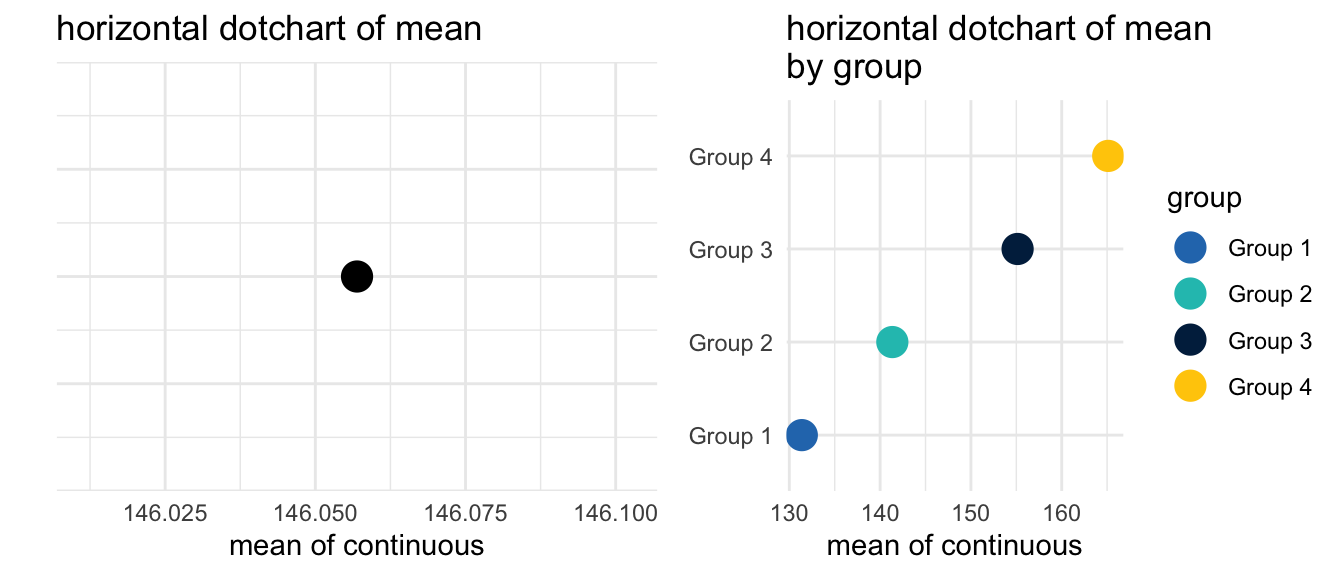
my_horiz_m_dotchart <- ggplot(mydata, 
                              aes(x = 1, 
                                  y = q, 
                                  fill = factor(1))) + 
  stat_summary(fun = mean, 
               geom = "point", size = 5) +
  coord_flip() +
  scale_color_manual(values = c(arboretum_blue)) + 
  ggtitle("horizontal dotchart of mean") + 
  guides(fill = FALSE) +
  xlab(" ") + 
  ylab("mean of continuous") + 
  theme_minimal() +
  theme(axis.text.y = element_blank(),
        axis.ticks.y = element_blank()) 

my_facet_horiz_m_dotchart <- ggplot(mydata, 
                                    aes(x = factor(s), 
                                        y = q, 
                                        color = s)) + 
  stat_summary(fun = mean, 
               geom = "point", 
               size = 5) +
  coord_flip() +
  scale_color_manual(name = "group",
                     values = c(arboretum_blue, 
                                taubman_teal, 
                                michigan_blue,
                                michigan_maize)) +   
  ggtitle("horizontal dotchart of mean \nby group") + 
  guides(fill=FALSE) +
  xlab(" ") + 
  ylab("mean of continuous") + 
  theme_minimal() +
  theme(axis.title.y = element_blank(),
        axis.ticks = element_blank())

plot_grid(my_horiz_m_dotchart,
          my_facet_horiz_m_dotchart)

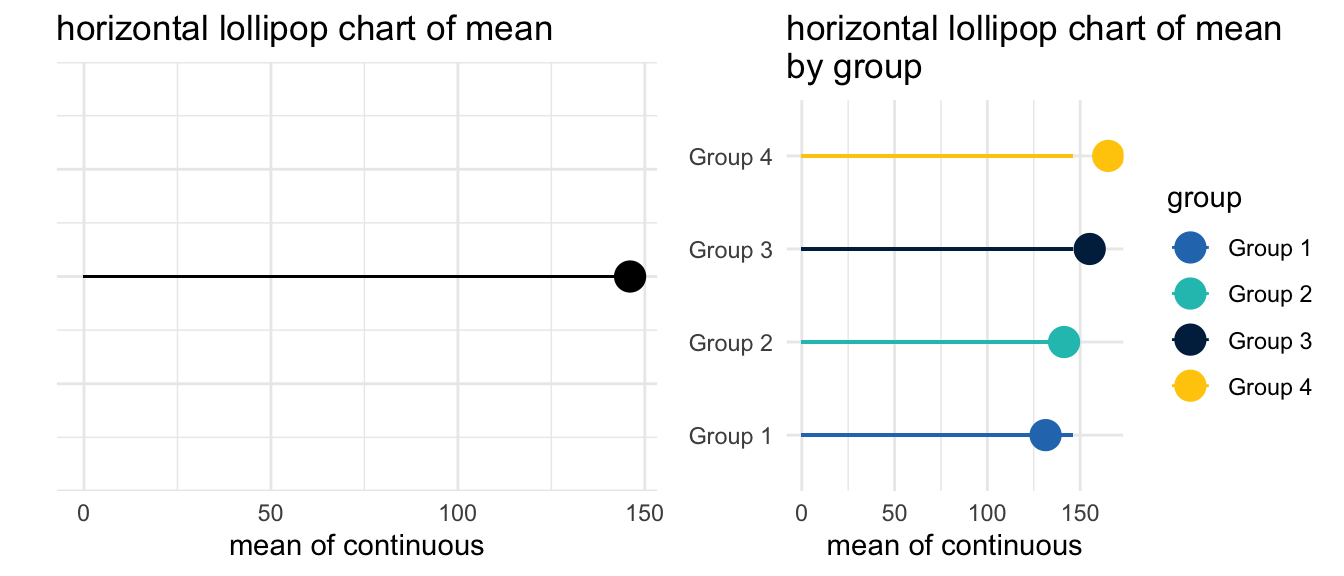
Show the code
my_horiz_m_lollipop_chart <- ggplot(mydata, 
                                    aes(x = 1, 
                                        y = q, 
                                        fill = factor(1))) + 
  stat_summary(fun = mean, 
               geom = "point", 
               size = 5) +
  geom_segment(aes(x = 1,
                   xend = 1,
                   y = 0,
                   yend = mean(q))) +
  coord_flip() +
  scale_color_manual(values = c(arboretum_blue)) + 
  ggtitle("horizontal lollipop chart of mean") + 
  guides(fill = FALSE) +
  xlab(" ") + ylab("mean of continuous") + 
  theme_minimal() +
  theme(axis.text.y = element_blank(),
        axis.ticks.y = element_blank()) 

my_facet_horiz_m_lollipop_chart <- ggplot(mydata, 
                                    aes(x = factor(s), 
                                        y = q, 
                                        color = s)) + 
  stat_summary(fun = mean, 
               geom = "point", 
               size = 5) +
  geom_segment(aes(x = factor(s),
                   xend = factor(s),
                   y = 0,
                   yend = mean(q))) +
  coord_flip() +
  scale_color_manual(name = "group",
                     values = c(arboretum_blue, 
                                taubman_teal, 
                                michigan_blue,
                                michigan_maize)) +   
  ggtitle("horizontal lollipop chart of mean \nby group") + 
  guides(fill=FALSE) +
  xlab(" ") + 
  ylab("mean of continuous") + 
  theme_minimal() +
  theme(axis.title.y = element_blank(),
        axis.ticks = element_blank())

plot_grid(my_horiz_m_lollipop_chart,
          my_facet_horiz_m_lollipop_chart)
Warning in geom_segment(aes(x = 1, xend = 1, y = 0, yend = mean(q))): All aesthetics have length 1, but the data has 1000 rows.
ℹ Please consider using `annotate()` or provide this layer with data containing
  a single row.

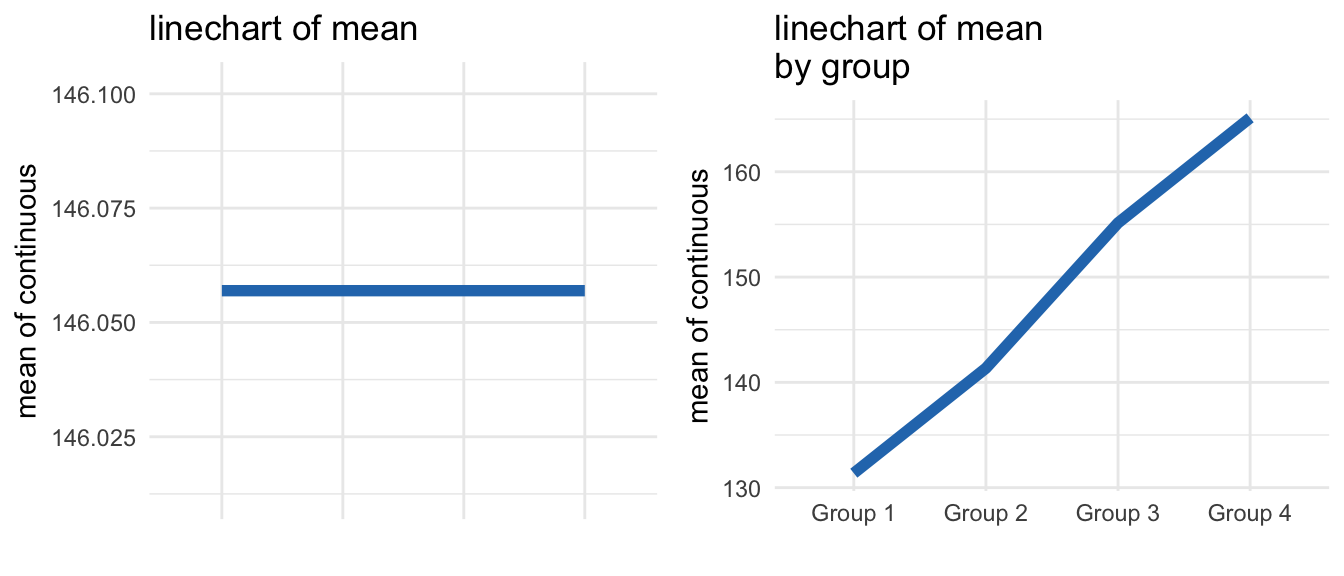
Show the code
my_m_linechart <- ggplot(mydata, 
                         aes(x = factor(s), 
                             y = mean(q), 
                             group = 1)) + 
  stat_summary(fun = mean, 
               geom = "line", 
               size = 2, 
               color = arboretum_blue) +
  geom_blank() +
  ggtitle("linechart of mean") +
  xlab(" ") + 
  ylab("mean of continuous") + 
  theme_minimal() +
  theme(axis.text.x = element_blank()) +
  theme(axis.ticks.x = element_blank())
Warning: Using `size` aesthetic for lines was deprecated in ggplot2 3.4.0.
ℹ Please use `linewidth` instead.
Show the code
my_facet_m_linechart <- ggplot(mydata, 
                               aes(x = factor(s), 
                                   y = q, 
                                   group = 1)) + 
  stat_summary(fun = mean, 
               geom = "line", 
               size = 2, 
               color = arboretum_blue) +
  ggtitle("linechart of mean \nby group") + 
  xlab(" ") + 
  ylab("mean of continuous") + 
  theme_minimal() 

plot_grid(my_m_linechart, my_facet_m_linechart)

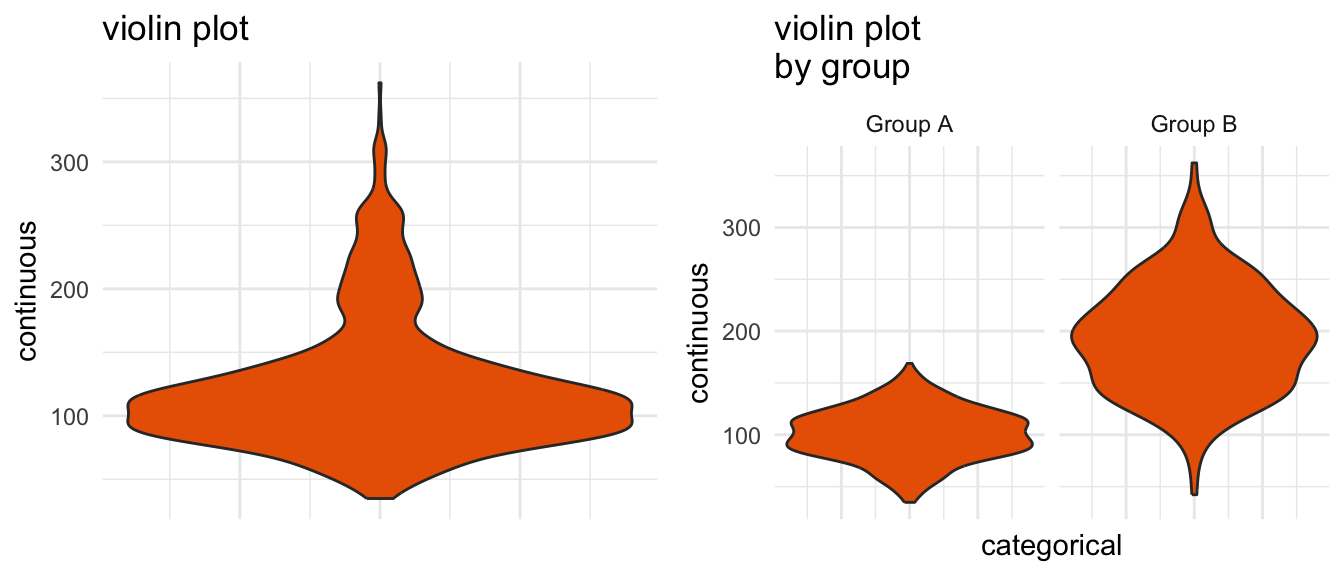
Show the code
my_violin <- ggplot(mydata, 
                    aes(x = 1, 
                        y = y)) + 
  geom_violin(fill = ross_school_orange) + 
  ggtitle("violin plot") + 
  xlab(" ") + 
  ylab("continuous") + 
  theme_minimal()  +
  theme(axis.text.x = element_blank()) +
  theme(axis.ticks.x = element_blank())

my_facet_violin <- ggplot(mydata, 
                          aes(x = 1, 
                              y = y)) + 
  geom_violin(fill = ross_school_orange) + 
  facet_wrap(~w, 
             ncol = 2) + 
  ggtitle("violin plot \nby group") + 
  xlab("categorical") + 
  ylab("continuous") + 
  theme_minimal() +
  theme(axis.text.x = element_blank()) +
  theme(axis.ticks.x = element_blank())

plot_grid(my_violin, my_facet_violin, ncol = 2)

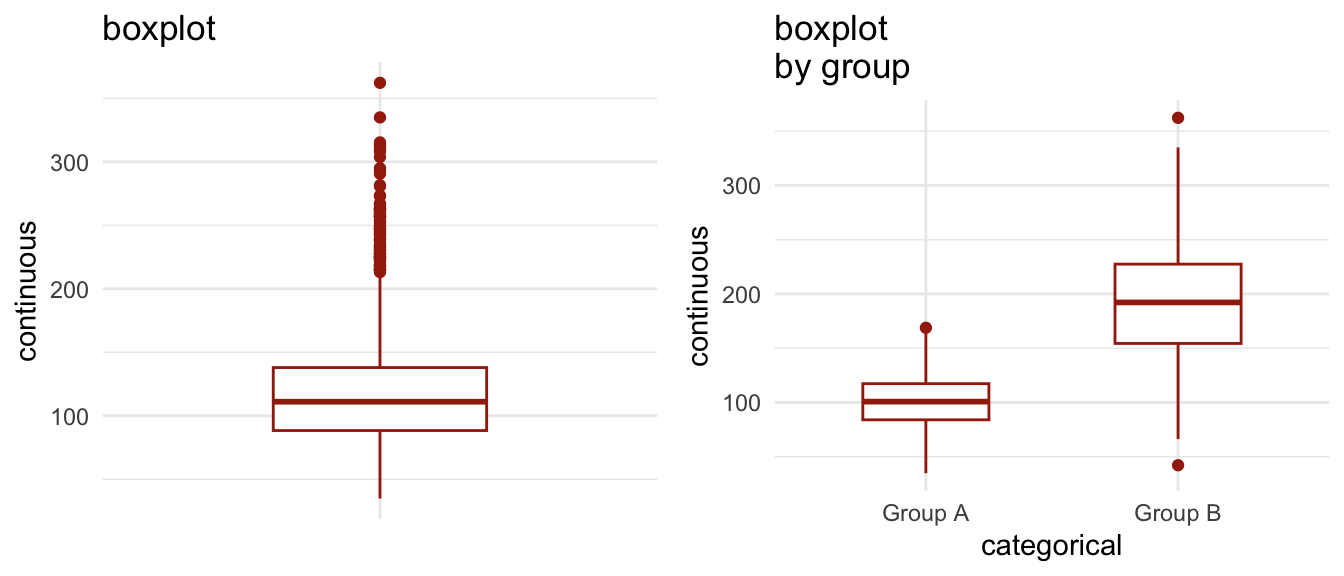
Show the code
my_boxplot <- ggplot(mydata, 
                     aes(x = 2, 
                         y = y)) + 
  geom_boxplot(colour=tappan_red) + 
  scale_x_discrete(limit = c(0,1,2)) +
  ggtitle("boxplot") + 
  xlab(" ") + 
  ylab("continuous") + 
  theme_minimal() +
  theme(axis.text.x = element_blank()) +
  theme(axis.ticks.x = element_blank())
Warning in scale_x_discrete(limit = c(0, 1, 2)): Continuous limits supplied to discrete scale.
ℹ Did you mean `limits = factor(...)` or `scale_*_continuous()`?
Show the code
my_conditional_boxplot <- ggplot(mydata, 
                                 aes(x = w, 
                                     y = y)) + 
  geom_boxplot(colour=tappan_red, width = .5) + 
  ggtitle("boxplot \nby group") + 
  xlab("categorical") + 
  ylab("continuous") + 
  theme_minimal()

plot_grid(my_boxplot, my_conditional_boxplot, ncol = 2)

Show the code
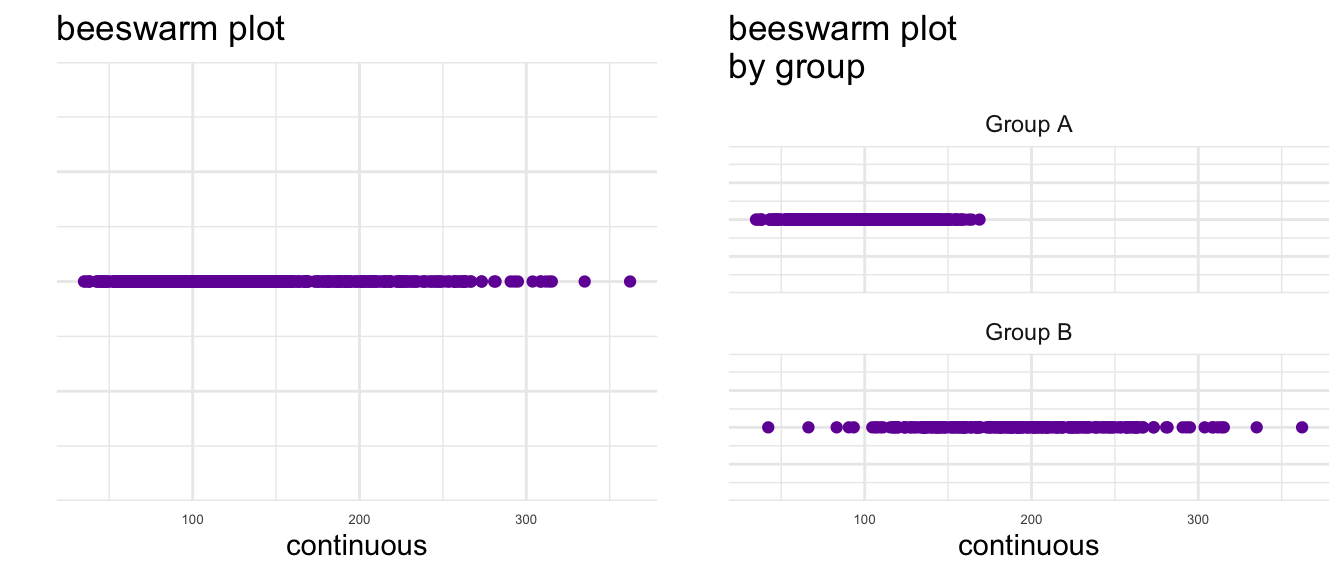
library(ggbeeswarm) # beeswarm geometry

my_beeswarm <- ggplot(mydata, 
                      aes(x = y, 
                          y = 1)) + 
  geom_beeswarm(colour = ann_arbor_amethyst, 
                groupOnX = FALSE) + 
  ggtitle("beeswarm plot") + 
  xlab("continuous") + 
  ylab("") + 
  theme_minimal() +
  theme(axis.text=element_text(size = 5), 
        axis.text.y = element_blank()) 
Warning: The `groupOnX` argument of `geom_beeswarm()` is deprecated as of ggbeeswarm
0.7.1.
ℹ ggplot2 now handles this case automatically.
Show the code
my_facet_beeswarm <- ggplot(mydata, 
                            aes(x = y, 
                                y = 1)) + 
  geom_beeswarm(colour = ann_arbor_amethyst, 
                groupOnX = FALSE) + 
  facet_wrap(~w, nrow = 2) +
  ggtitle("beeswarm plot \nby group") + 
  xlab("continuous") + 
  ylab("") + 
  theme_minimal() +
  theme(axis.text.x = element_text(size = 5),
        axis.text.y = element_blank()) 

plot_grid(my_beeswarm, my_facet_beeswarm)

Show the code
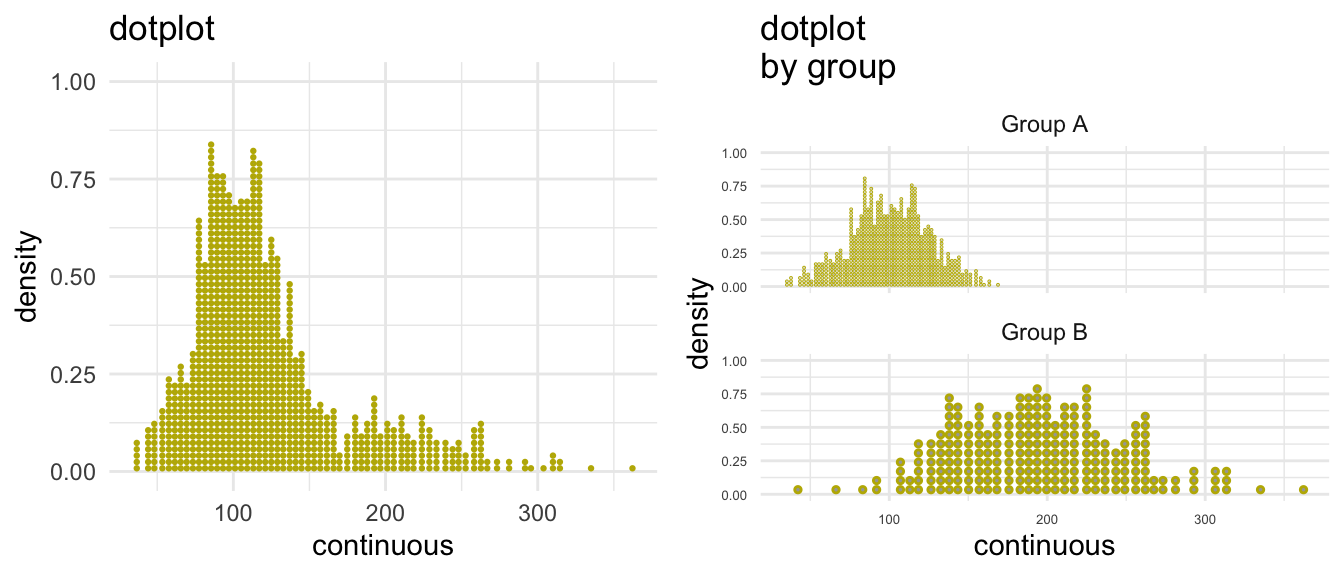
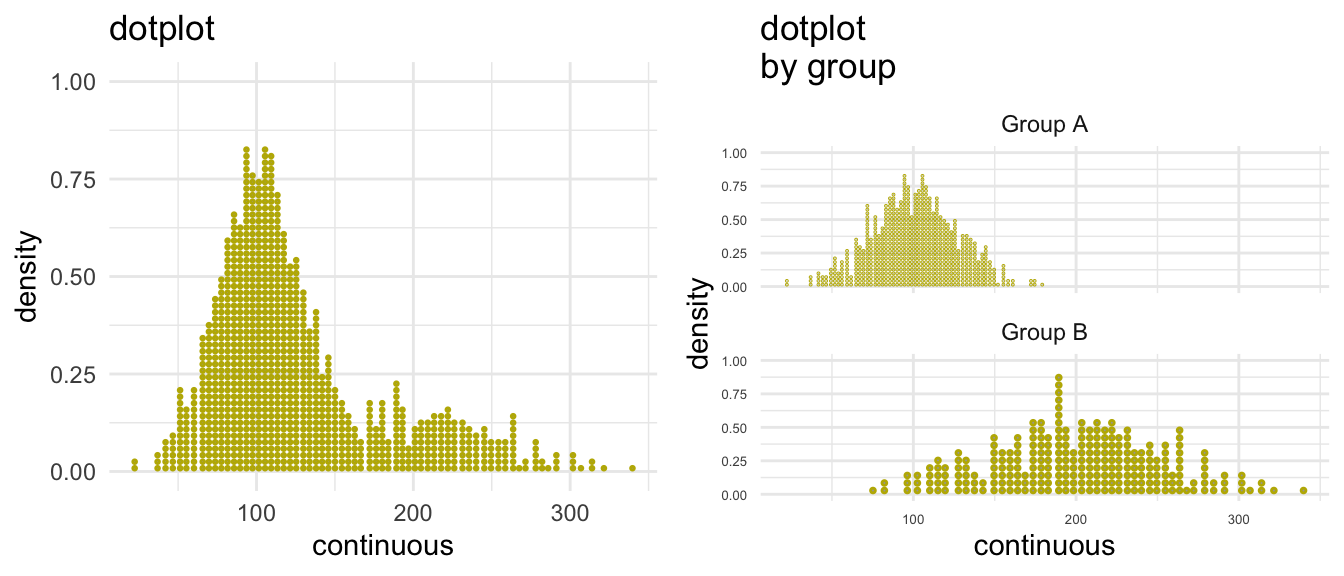
library(ggdist) # 'distribution' geometries

my_dotplot <- ggplot(mydata, 
                     aes(x = y)) + 
  stat_dots(colour=wave_field_green) +
  ggtitle("dotplot") + 
  xlab("continuous") + 
  ylab("density") + 
  theme_minimal()

my_facet_dotplot <- ggplot(mydata, 
                           aes(x = y)) + 
  stat_dots(colour=wave_field_green) +
  facet_wrap(~w, nrow = 2) + 
  ggtitle("dotplot \nby group") + 
  xlab("continuous") + 
  ylab("density") + 
  theme_minimal() +
  theme(axis.text = element_text(size = 5)) # small font size for axis

plot_grid(my_dotplot, my_facet_dotplot, ncol = 2)

6 One Thing At A Time           Two Things At A Time

7 Categorical           Categorical By Categorical

Show the code
my_barchart <- ggplot(mydata, 
                      aes(s, 
                          fill = s)) + 
  geom_bar(width = 1.0) + 
  scale_fill_manual(values = c(arboretum_blue, 
                               taubman_teal,
                               michigan_blue,
                               michigan_maize)) + 
  ggtitle("bar chart") + 
  guides(fill=FALSE) +
  xlab("categorical") + 
  ylab("count") + 
  theme_minimal() 

my_facet_barchart <- ggplot(mydata, 
                            aes(s, 
                                fill = s)) + 
  geom_bar(width = 1.0) + 
  facet_wrap(~u, ncol = 2) + 
  scale_fill_manual(values = c(arboretum_blue, 
                               taubman_teal, 
                               michigan_blue,
                               michigan_maize)) + 
  ggtitle("bar chart \nby group") + 
  guides(fill=FALSE) +
  xlab("categorical") + ylab("count") + 
  theme_minimal() +
  theme(axis.text.x = element_text(size = rel(.6)))

plot_grid(my_barchart, my_facet_barchart, ncol = 2)

Show the code
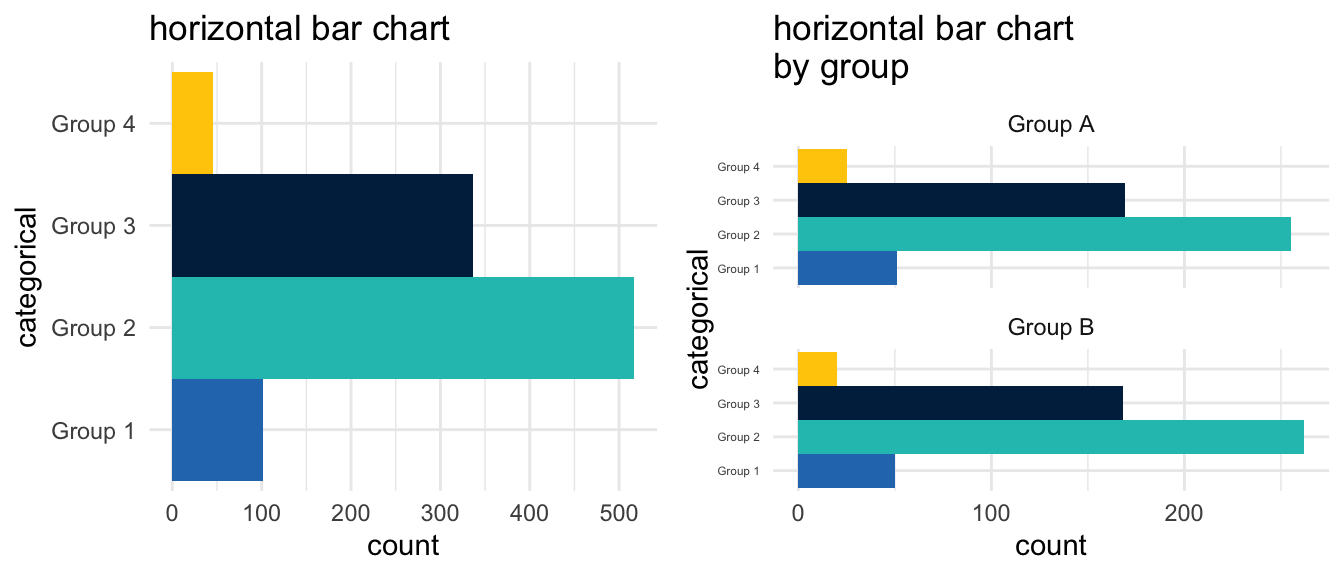
my_horiz_barchat <- ggplot(mydata, aes(s, fill = s)) + 
  geom_bar(width = 1.0) + 
  coord_flip() +
  scale_fill_manual(values = c(arboretum_blue, 
                               taubman_teal, 
                               michigan_blue,
                               michigan_maize)) + 
  ggtitle("horizontal bar chart") + 
  guides(fill=FALSE) +
  xlab("categorical") + 
  ylab("count") + 
  theme_minimal() 

my_horiz_facet_barchart <- ggplot(mydata, aes(s, fill = s)) + 
  geom_bar(width = 1.0) + 
  facet_wrap(~u, ncol = 1) +
  coord_flip() +
  scale_fill_manual(values = c(arboretum_blue, 
                               taubman_teal, 
                               michigan_blue,
                               michigan_maize)) + 
  ggtitle("horizontal bar chart \nby group") + 
  guides(fill=FALSE) +
  xlab("categorical") + 
  ylab("count") + 
  theme_minimal() +
  theme(axis.text.y = element_text(size = rel(.5)))

plot_grid(my_horiz_barchat, my_horiz_facet_barchart, ncol = 2)

Show the code
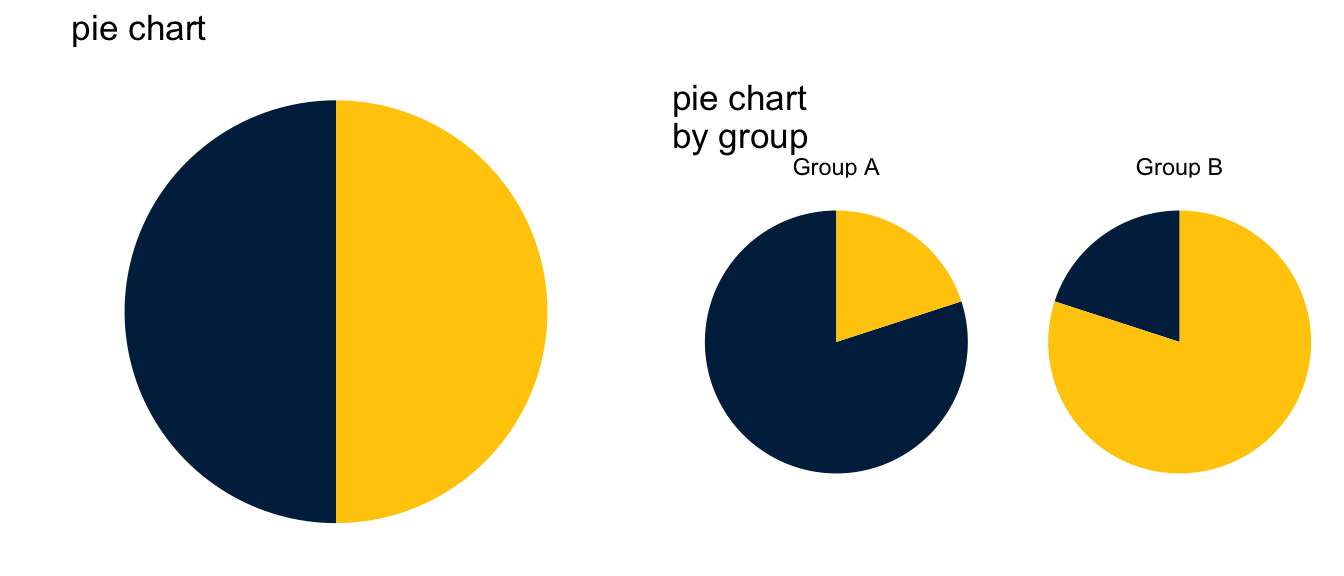
my_pie <- ggplot(mydata, aes(x = 1, fill = v)) + 
  geom_bar(width = 1) + 
  coord_polar(theta="y") + 
  scale_fill_manual(values = michigan_colors) + 
  ggtitle("pie chart") + guides(fill=FALSE) +
  xlab(" ") + 
  ylab("categorical") + 
  theme_void() +
  theme(axis.text.x = element_blank()) +
  theme(axis.text.y = element_blank()) + 
  theme(axis.ticks = element_blank())

my_facet_pie <- ggplot(mydata, aes(x = 1, fill = v)) + 
  geom_bar(width = 1, position = "fill") + 
  coord_polar(theta="y") + 
  facet_wrap(~u, ncol = 2) + 
  scale_fill_manual(values = michigan_colors) + 
  ggtitle("pie chart \nby group") + 
  guides(fill=FALSE) +
  xlab(" ") + 
  ylab("categorical") + 
  theme_void() +
  theme(axis.text.x = element_blank()) +
  theme(axis.text.y = element_blank())  + 
  theme(axis.ticks = element_blank())

plot_grid(my_pie, my_facet_pie, ncol = 2)

Show the code
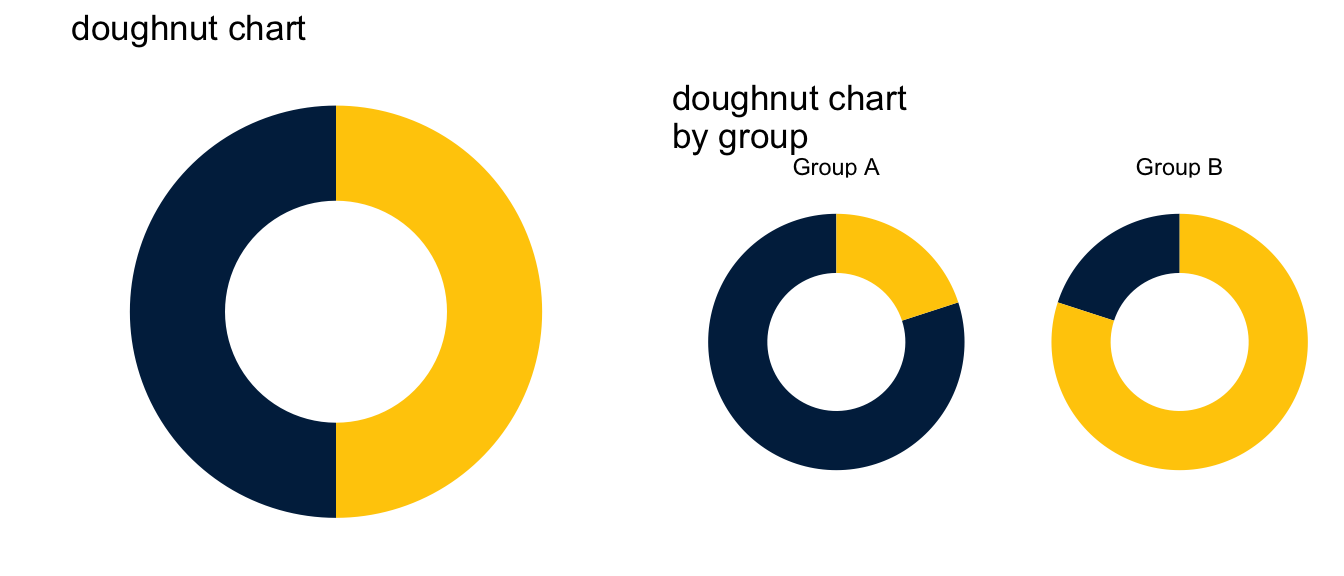
my_doughnut <- ggplot(mydata, aes(x = 2, fill = v)) + 
  geom_bar() + 
  coord_polar(theta="y") + 
  scale_fill_manual(values = michigan_colors) + 
  ggtitle("doughnut chart") + 
  guides(fill=FALSE) +
  xlab(" ") + 
  ylab("categorical") + 
  xlim(.5, 2.5) +
  theme_void() +
  theme(axis.text.x = element_blank()) +
  theme(axis.text.y = element_blank()) + 
  theme(axis.ticks = element_blank())

my_facet_doughnut <- ggplot(mydata, aes(x = 2, fill = v)) + 
  geom_bar(position = "fill") + 
  coord_polar(theta="y") + 
  facet_wrap(~u, ncol = 2) + 
  scale_fill_manual(values = michigan_colors) + 
  ggtitle("doughnut chart \nby group") + 
  guides(fill=FALSE) +
  xlab(" ") + 
  ylab("categorical") + 
  xlim(.5, 2.5) +
  theme_void() +
  theme(axis.text.x = element_blank()) +
  theme(axis.text.y = element_blank())  + 
  theme(axis.ticks = element_blank())

plot_grid(my_doughnut, my_facet_doughnut, ncol = 2)

8 Continuous by Continuous

Show the code
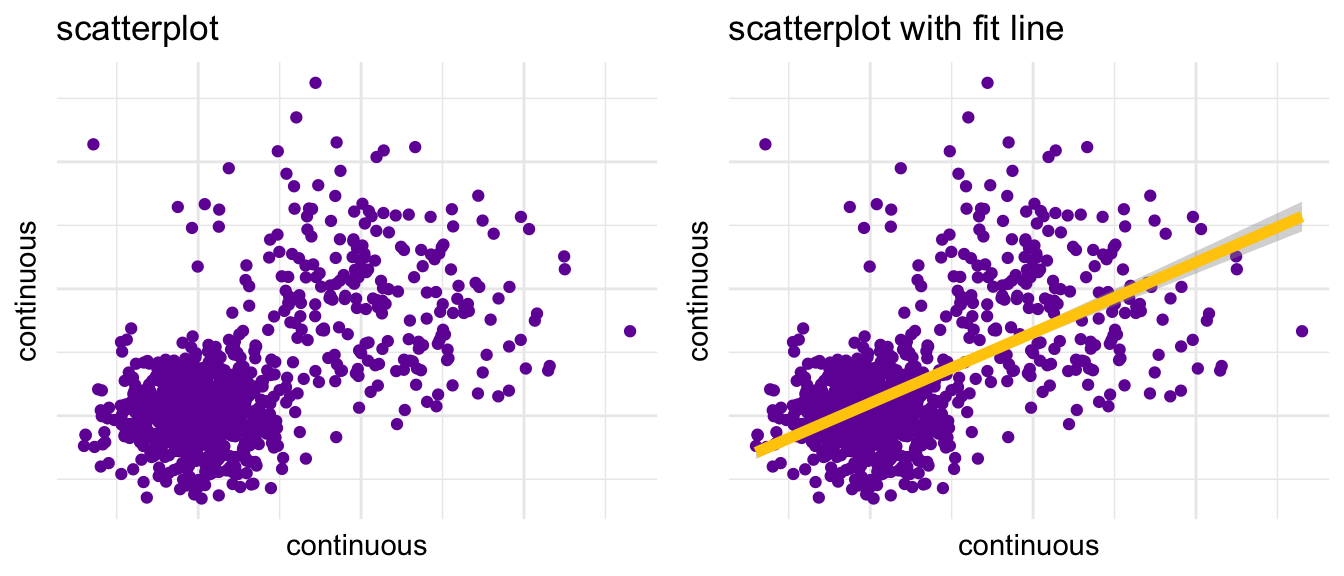
my_scatterplot <- ggplot(mydata, aes(x=x, y=y)) + 
  geom_point(colour = ann_arbor_amethyst) + 
  ggtitle("scatterplot") + 
  xlab("continuous") + 
  ylab("continuous") + 
  theme_minimal() +
  theme(axis.text.x = element_blank()) +
  theme(axis.text.y = element_blank())  + 
  theme(axis.ticks = element_blank())
  
my_scatterplot_smoother <- ggplot(mydata, aes(x=x, y=y)) + 
  geom_point(colour = ann_arbor_amethyst) + 
  geom_smooth(method = lm, color = michigan_maize, size = 2) + 
  ggtitle("scatterplot with fit line") + 
  xlab("continuous") + 
  ylab("continuous") + 
  theme_minimal() +
  theme(axis.text.x = element_blank()) +
  theme(axis.text.y = element_blank())  + 
  theme(axis.ticks = element_blank())

plot_grid(my_scatterplot, my_scatterplot_smoother)
`geom_smooth()` using formula = 'y ~ x'

Show the code
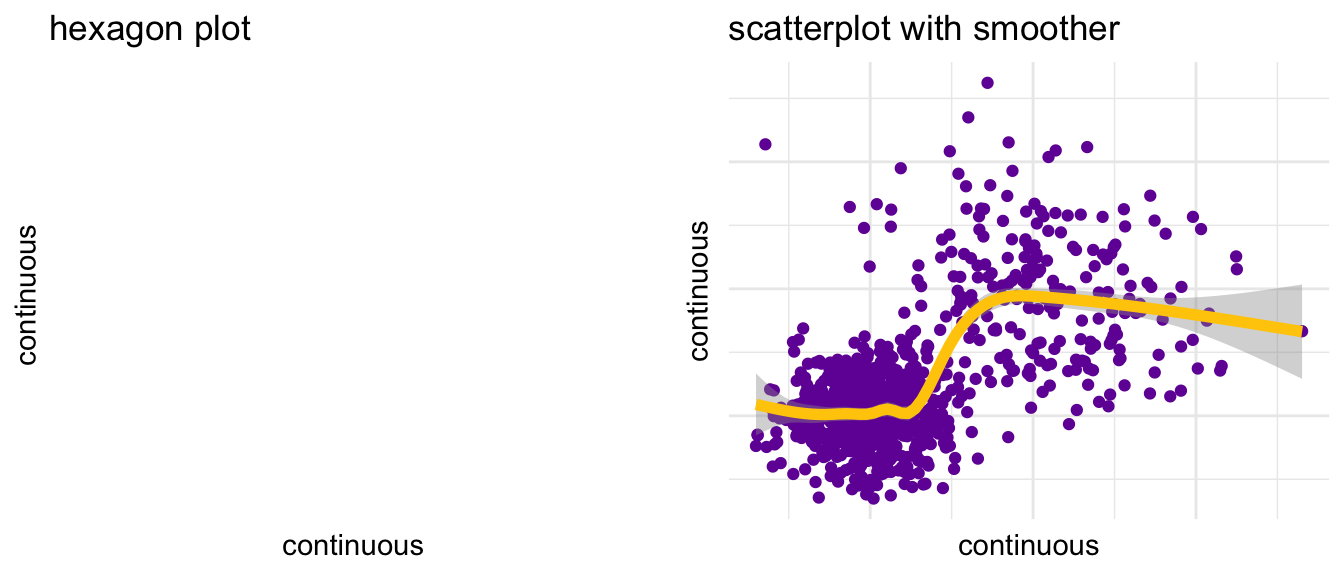
my_hexagon <- ggplot(mydata, aes(x=x, y=y)) + 
  geom_hex() + 
  ggtitle("hexagon plot") + 
  xlab("continuous") + 
  ylab("continuous") + 
  theme_minimal() + 
  theme(legend.text = element_text(size=4), 
        legend.key.size = unit(.25, "cm")) + 
  theme(axis.text.x = element_blank()) +
  theme(axis.text.y = element_blank())  + 
  theme(axis.ticks = element_blank())  + 
  scale_fill_gradient(low = taubman_teal,
                      high = arboretum_blue) 

my_smoother <- ggplot(mydata, aes(x=x, y=y)) + 
  geom_point(colour = ann_arbor_amethyst) + 
  geom_smooth(se=TRUE, color=michigan_maize, size=2) + 
  ggtitle("scatterplot with smoother") + 
  xlab("continuous") + 
  ylab("continuous") + 
  theme_minimal() +
  theme(axis.text.x = element_blank()) +
  theme(axis.text.y = element_blank())  + 
  theme(axis.ticks = element_blank())

plot_grid(my_hexagon, my_smoother)
Warning: Computation failed in `stat_binhex()`.
Caused by error in `compute_group()`:
! The package "hexbin" is required for `stat_bin_hex()`.
`geom_smooth()` using method = 'gam' and formula = 'y ~ s(x, bs = "cs")'

Show the code
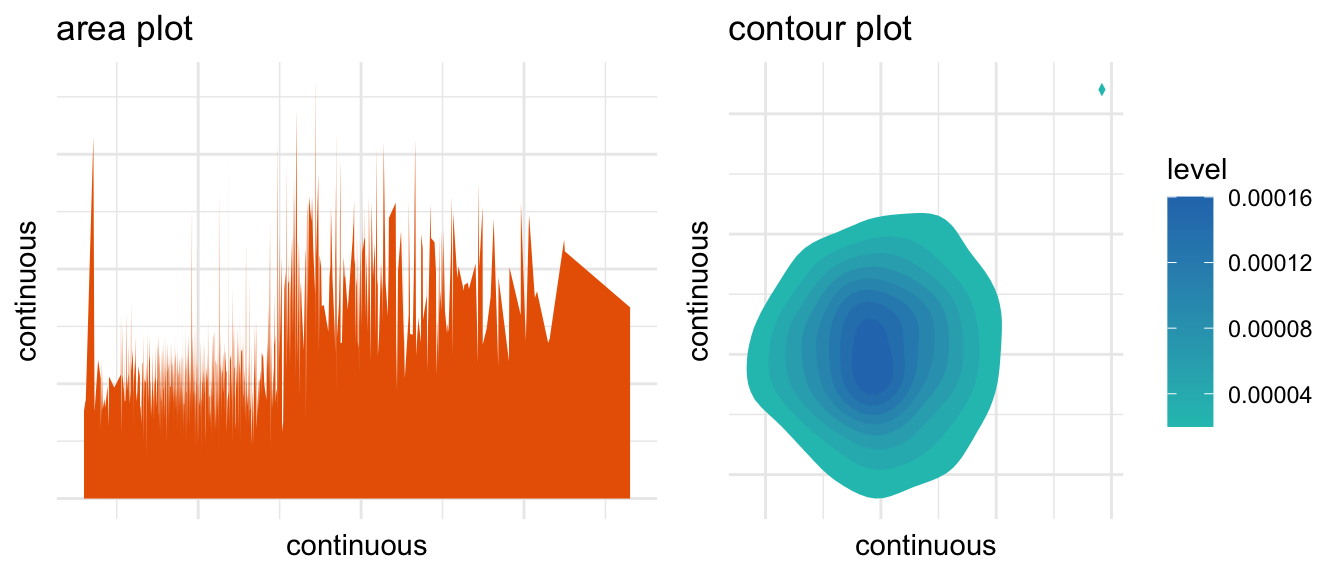
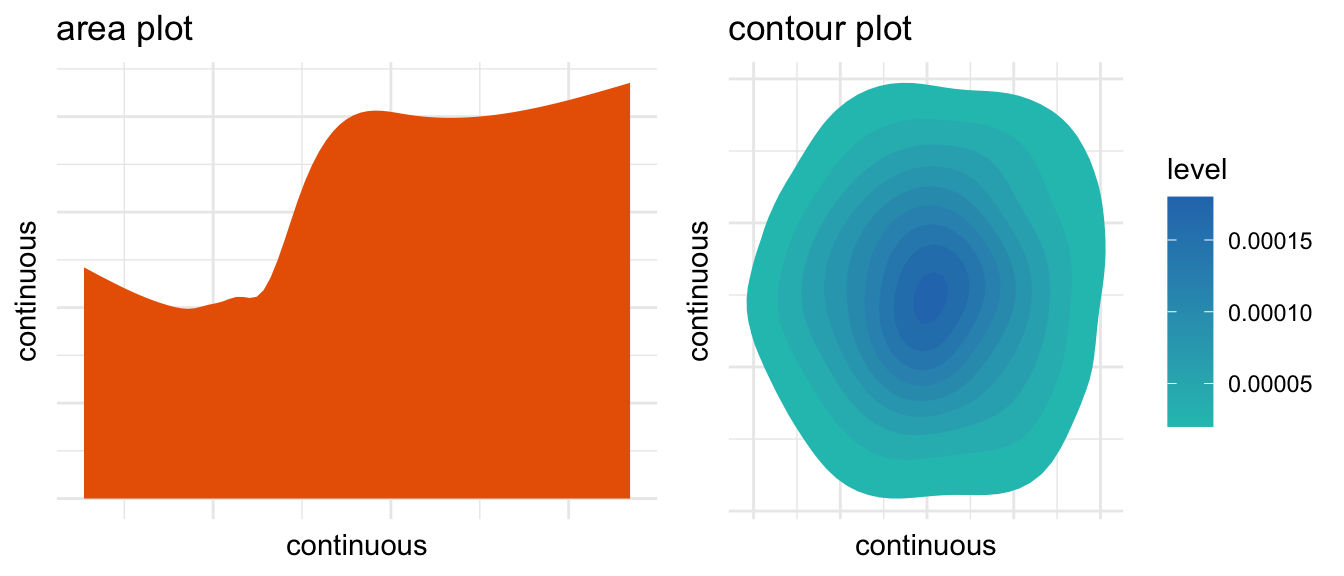
my_area <- ggplot(mydata, aes(x=x, y=y)) + 
  geom_area(position = "stack", fill = ross_school_orange) +
  ggtitle("area plot") + 
  xlab("continuous") + 
  ylab("continuous") + 
  theme_minimal() + 
  theme(axis.text.x = element_blank()) +
  theme(axis.text.y = element_blank())  + 
  theme(axis.ticks = element_blank())

my_contour <- ggplot(mydata, aes(x=x, y=y)) + 
  stat_density_2d(aes(fill = ..level..), 
                  geom = "polygon") + 
  ggtitle("contour plot") + 
  xlab("continuous") + 
  ylab("continuous") + 
  theme_minimal() + 
  theme(axis.text.x = element_blank()) +
  theme(axis.text.y = element_blank())  + 
  theme(axis.ticks = element_blank()) + 
  scale_fill_gradient(low = taubman_teal,
                      high = arboretum_blue) 

plot_grid(my_area, my_contour)
Warning: The dot-dot notation (`..level..`) was deprecated in ggplot2 3.4.0.
ℹ Please use `after_stat(level)` instead.

`stat_bin()` using `bins = 30`. Pick better value with `binwidth`.
`geom_smooth()` using formula = 'y ~ x'
`geom_smooth()` using method = 'gam' and formula = 'y ~ s(x, bs = "cs")'
`stat_bin()` using `bins = 30`. Pick better value with `binwidth`.
`geom_smooth()` using formula = 'y ~ x'
`stat_bin()` using `bins = 30`. Pick better value with `binwidth`.
`geom_smooth()` using formula = 'y ~ x'

Graphics made with the ggplot2 graphing library created by Hadley Wickham.

Available online at https://agrogan1.github.io/

How to Choose a Chart by Andrew Grogan-Kaylor is licensed under a Creative Commons Attribution-ShareAlike 4.0 International License. You are welcome to download and use this handout in your own classes, or work, as long as the handout remains properly attributed.

Last updated: March 30 2026 at 13:00