Show the code
library(igraph) # network analysis

library(ggplot2) # beautiful graphs

library(ggraph) # network graphs for ggplot

library(faux) # simulated data

library(pander) # nice tables

library(skimr) # descriptive statisticsIn am earlier post, I looked at some ways to get an idea of what scales and demographic variables in my data are related to other scales and demographic variables in my data.
Among several methods, I looked at a network graph using igraph (Csardi et al., 2025; Csardi & Nepusz, 2006). However, the network graph in my previous post was less than satisfactory because of the limited number of scales in my data.
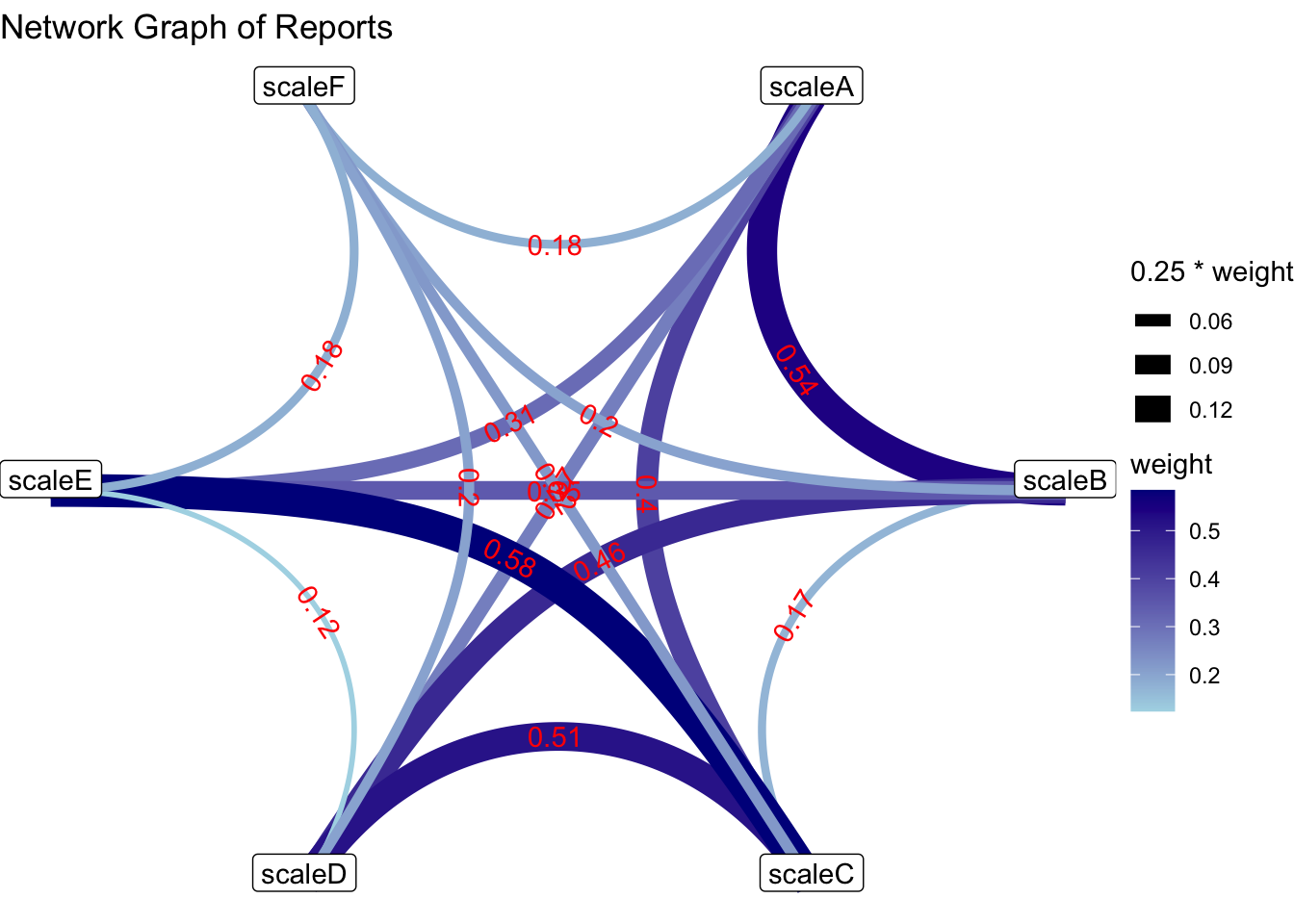
Below, I provide an example of a network graph with data with more scales.
library(igraph) # network analysis
library(ggplot2) # beautiful graphs
library(ggraph) # network graphs for ggplot
library(faux) # simulated data
library(pander) # nice tables
library(skimr) # descriptive statisticsI simulate some data.
set.seed(54321) # random seed

# simulate data

cmat <- c(1.00, 0.30, 0.25, 0.15, 0.15, 0.15, # correlation matrix
          0.30, 1.00, 0.00, 0.50, 0.10, 0.15,
          0.25, 0.00, 1.00, 0.50, 0.50, 0.15,
          0.15, 0.50, 0.50, 1.00, 0.00, 0.15,
          0.15, 0.10, 0.50, 0.00, 1.00, 0.15,
          0.15, 0.15, 0.15, 0.15, 0.15, 1.00)

mydata <- rnorm_multi(n = 100,
                   mu = c(0, 20, 100, 100, 100, 100),
                   sd = c(1, 5, 5, 5, 5, 5),
                   r = cmat, # correlation matrix
                   varnames = c("scaleA",
                                "scaleB",
                                "scaleC",
                                "scaleD",
                                "scaleE",
                                "scaleF"),
empirical = FALSE)pander(head(mydata)) # nicely formatted table| scaleA | scaleB | scaleC | scaleD | scaleE | scaleF |
|---|---|---|---|---|---|
| 1.602 | 23.34 | 99.84 | 97.63 | 102.1 | 101.5 |
| 1.452 | 28.85 | 101.6 | 99.86 | 105.9 | 99.57 |
| 0.5092 | 20.43 | 105.6 | 101.7 | 102.4 | 101 |
| 1.974 | 21.07 | 108.3 | 106.9 | 102 | 106.1 |
| -0.9652 | 17.06 | 102 | 106.7 | 101.5 | 95.6 |
| 0.7906 | 22.49 | 104 | 111.2 | 96.67 | 98.47 |
skim(mydata) # descriptive statisticsVariable type: numeric
| skim_variable | n_missing | complete_rate | mean | sd | p0 | p25 | p50 | p75 | p100 | hist |
|---|---|---|---|---|---|---|---|---|---|---|
| scaleA | 0 | 1 | -0.05 | 1.09 | -2.65 | -0.80 | -0.08 | 0.65 | 2.84 | ▂▆▇▅▁ |
| scaleB | 0 | 1 | 20.13 | 4.70 | 7.58 | 16.83 | 20.32 | 23.44 | 29.89 | ▁▅▇▆▃ |
| scaleC | 0 | 1 | 100.11 | 4.84 | 88.04 | 96.77 | 100.35 | 102.94 | 111.84 | ▂▃▇▃▂ |
| scaleD | 0 | 1 | 100.75 | 4.86 | 88.29 | 97.52 | 100.31 | 103.65 | 113.34 | ▁▆▇▆▁ |
| scaleE | 0 | 1 | 100.14 | 4.95 | 82.39 | 97.41 | 100.81 | 103.05 | 112.10 | ▁▂▅▇▁ |
| scaleF | 0 | 1 | 100.24 | 5.77 | 86.48 | 95.77 | 100.42 | 103.80 | 113.96 | ▁▇▇▅▂ |
I provide code for labels, but because labels sometimes overlap and are thus difficult to read, I have commented out this code in the igraph code. I use a Fruchterman-Reingold layout (Csardi et al., 2025; Csardi & Nepusz, 2006; Pedersen, 2025) in each case to try to highlight the connections and centrality of different graph nodes.
cor_mat <- cor(mydata, use = "complete.obs")

diag(cor_mat) <- 0 # set diagonal to 0

g <- graph_from_adjacency_matrix(cor_mat, # make network graph
                                 mode = "undirected",
                                 weighted = TRUE)

# coords <- layout_in_circle(g) # get circular layout

coords <- layout.fruchterman.reingold(g) # Fruchterman-Reingold layout

par(mar=c(0, 0, 1, 0) + 1.5) # plot margins

absweight <- abs(E(g)$weight) # absolute value of weight

plot(g,
     margin = 0.5,
     edge.width = absweight * 20, # absolute value
     vertex.size = 15,
     vertex.label.dist = 3.5,
     vertex.shape = "circle",
     vertex.color = "navy",
     # edge.label.color = "red",
     # edge.label = round(E(g)$weight, 2),
     # edge.label.dist = 1,
     layout = coords, # layout
     edge.curved = 0,
     main = "Relationship of Scales in Our Data")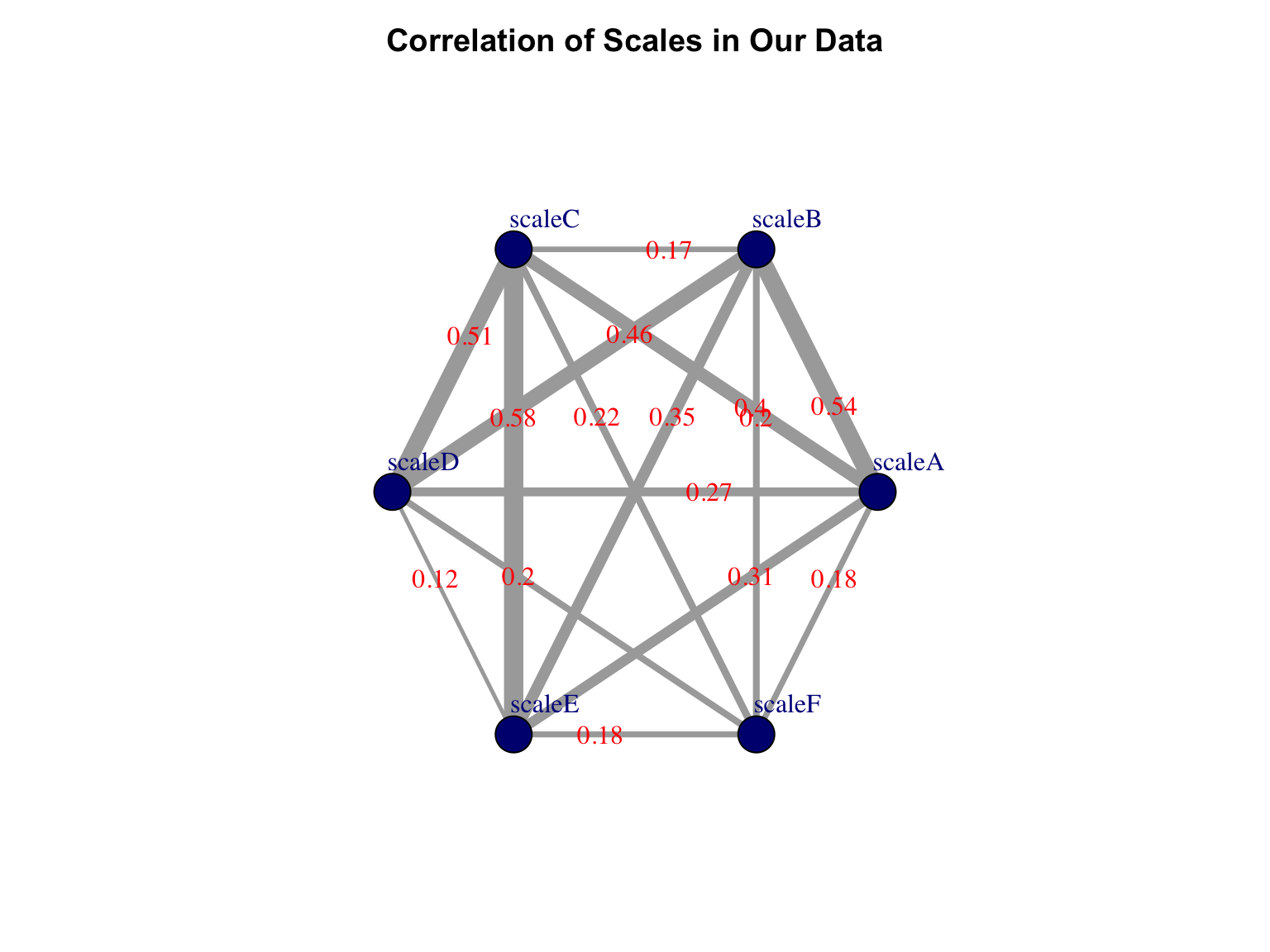
ggraph(g, layout = 'fr') +
  geom_edge_link(aes(width = .25 * weight,
                    color = weight,
                    label = round(weight, 2)),
                label_colour = "red",
                strength = .1,
                angle_calc = 'along',
                show.legend = FALSE) +
  geom_node_point(size = 7,
                  color = "navy") +
  geom_node_text(aes(label = name),
                  nudge_y = .15,
                  fill = "white") +
  scale_edge_color_gradient(name = "weight",
                            low = "lightgrey",
                            high = "darkgrey") +
  labs(title = "Relationship of Scales in Our Data") +
theme_void()